Post ·
Absent, Not Disabled: Giving a Small Model Read Tools
A small model can read a live CMDB safely when write tools are absent, not disabled, and every call is scoped, capped, cited and audited.
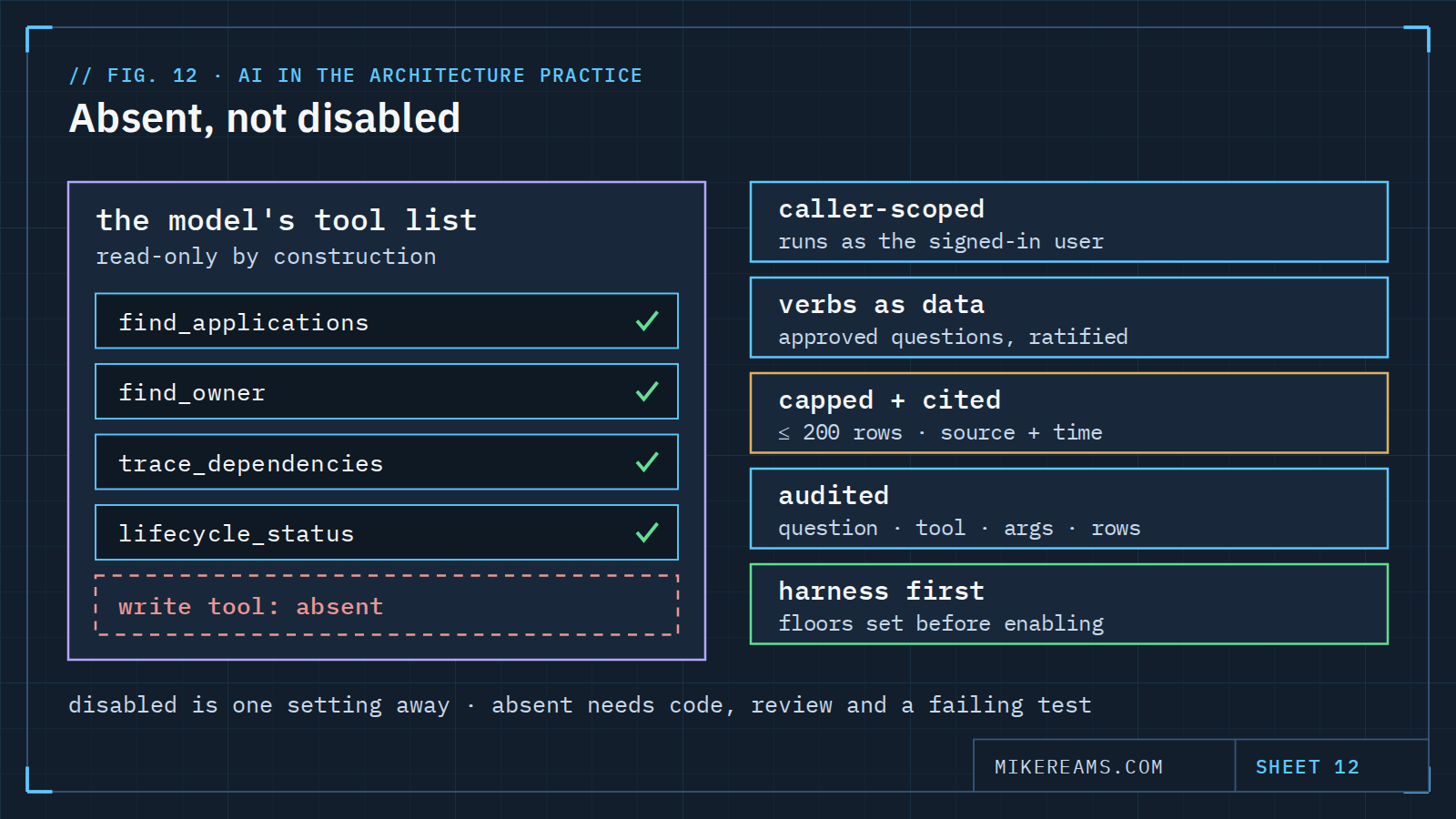
The small assistant in my CMDB console answers architecture questions from the knowledge base. The obvious next step is letting it read the live CMDB too: who owns this application, what depends on it, when its platform goes out of support. That sounds like a feature. It is really a new data path. Live system values start flowing into the prompt, and the model starts choosing what to query.
So I treated it as a decision, not a configuration change, and wrote it up as one. Here is the design.
Absent, not disabled
The model gets a short list of read tools. There is no write tool in the list at all — not one that is switched off, one that does not exist.
The difference matters. A disabled tool is one setting away from enabled, and settings change for convenient reasons. An absent tool needs new code, a review, and a change to a test that currently fails the build if a write tool ever appears in the list. Writes stay on the separate, guarded path where a person reviews a dry run and commits.
Disabled is a setting. Absent is an architecture.
Questions are governed data, not prompts
Instead of letting a small model compose arbitrary queries, the allowed questions live in a configuration file, a verb sheet. Each verb maps a question intent to an approved query, the fields it may return and a row cap. Adding a new kind of question is a configuration change with a test, ratified like any other standard. It is never a prompt tweak.
This bounds the damage a 4-billion-parameter model on a CPU can do when it misreads a question. The worst case is picking the wrong approved query, not inventing a new one.
The model sees only what the user could see
Every tool call runs as the signed-in user, under that user's roles. There is no service account doing the reading on the model's behalf. If a person cannot see a record on screen, the assistant cannot see it either, so the assistant can never be used to look around a permission.
Caps, citations and an audit trail
- Caps. At most 200 rows enter the context. Big answers become summaries with a link, not a dump.
- Citations. Every live value is cited with the instance it came from and the time it was read, next to the citations from the knowledge base.
- Escaping. Field values in a system of record can, in principle, be written by anyone with edit access, so anything read into context is bounded and the model's output is escaped before it renders. Prompt injection through a description field is a real path, not a theory.
- Audit. Every call logs the question, the verb, the arguments, the row count, the instance and the time, beside the existing question log.
Harness first, then graduate
Before any of this is switched on, the evaluation set grows tool-use cases, scored on three things: the right verb, sensible arguments and a correct citation. The floors are set before enabling, and the existing retrieval and answer floors do not move.
Letting the model plan its own queries, instead of picking from the verb sheet, is a later step with a written bar: weeks of logged history, the tool-use harness green at its floors, and a measured rate of mis-planned queries. Until then, every new kind of question costs a configuration change and a test. That is the point.
Copy this: a verb sheet entry
{
  "verbs": [
    {
      "id": "app-owner",
      "intent": "Who owns or manages an application?",
      "table": "<business application table>",
      "query": "name={app}^operational_status=1",
      "fields": ["name", "owned_by", "managed_by", "support_group"],
      "max_rows": 5,
      "ratified_by": "<role>",
      "ratified_on": "2026-09-30"
    }
  ],
  "rules": {
    "write_tools": "none - absent by construction",
    "run_as": "signed-in user",
    "max_rows_into_context": 200,
    "cite": ["instance", "read_at"],
    "audit": ["question", "verb", "args", "rows", "instance", "time"]
  }
}